


What’s Rest API
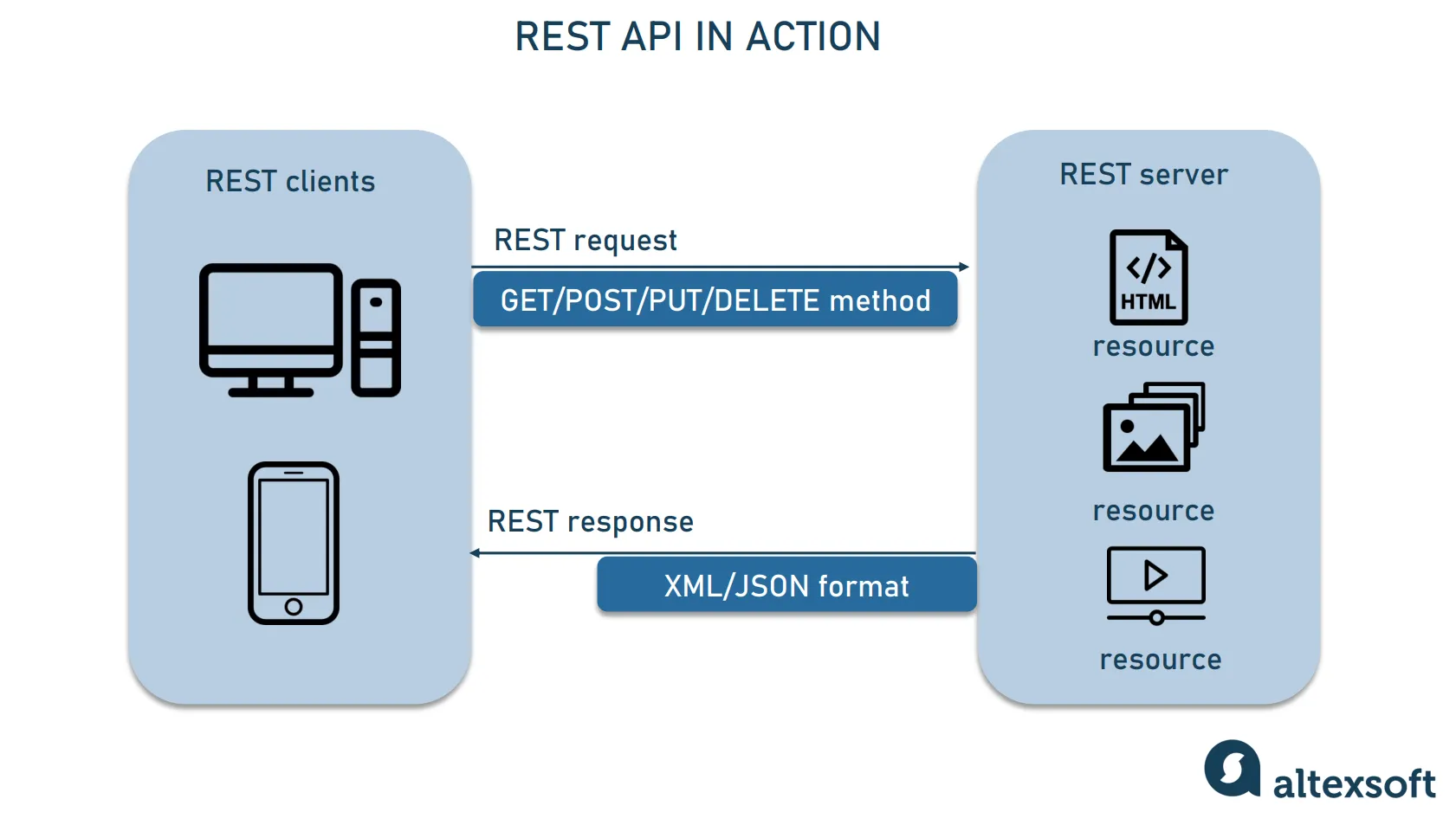
REST stands for Representational State Transfer. It is a way of transmitting data from a client (such as a web page) to a server (backend, like Node.js). REST is based on the HTTP protocol, allowing us to send and receive data through a web server.
With REST, data can be transmitted in various formats, including Text (plain text), XML (structured text similar to HTML), and JSON (structured data similar to JavaScript objects).
ExpressJS
Express.js, or simply Express, is a web framework from NPM used for developing web applications or websites on Node.js, running on the backend. The framework is built on top of the http module, which is a core module of Node.js.
Why use Express?
- Easy routing management
- Helper functions for HTTP
- Supports template engines for creating views
- Fast and efficient performance
- Supports middleware
Installation
For initial the project, create the folder with command:
mkdir expressInitial package.json file
npm init -yIn the terminal, type this command to install the package, as shown below:
npm install expressYou can check the results in the package.json file. Under the dependencies section, express should appear like this:
{
  "name": "express",
  "version": "1.0.0",
  "main": "index.js",
  "scripts": {
    "test": "echo \"Error: no test specified\" && exit 1"
  },
  "keywords": [],
  "author": "",
  "license": "ISC",
  "description": "",
  "dependencies": {
    "express": "^4.21.2"
  }
}
If it appears like this, it means the library has been successfully installed. Every time you install a library, it will always be listed under the dependencies section in the package.json file.
This confirms that the installation was successful and the library is ready to use in your project!
Comparison
HTTP Module
const http = require('http')

// Sample book data
const books = [
  { id: 1, title: 'Book 1', author: 'Author 1' },
  { id: 2, title: 'Book 2', author: 'Author 2' },
  { id: 3, title: 'Book 3', author: 'Author 3' },
]

const server = http.createServer((req, res) => {
  if (req.url === '/api/books' && req.method === 'GET') {
    // Set the response header
    res.setHeader('Content-Type', 'application/json');
    // Send the list of books as JSON
    res.end(JSON.stringify(books));
  } else {
    // Handle other routes
    res.statusCode = 404;
    res.end('Not Found');
  }
})

const port = 3000;
server.listen(port, () => {
  console.log(`Server is running on port ${port}`)
})
Express
const express = require('express')
const app = express()

// Sample book data
const books = [
  { id: 1, title: 'Book 1', author: 'Author 1' },
  { id: 2, title: 'Book 2', author: 'Author 2' },
  { id: 3, title: 'Book 3', author: 'Author 3' },
]

// Endpoint to get all books
app.get('/api/books', (req, res) => {
  res.json(books)
})

const port = 3000;
app.listen(port, () => {
  console.log(`Server is running on port ${port}`)
})
Basic Express
Routing (Defining Routes)
Routing is how you define the paths that the server will respond to. Express supports several HTTP methods like GET, POST, PUT, DELETE, etc.
Route Syntax
app.METHOD(PATH, HANDLER)Example of a GET route:
app.get('/', (req, res) => {
  res.send('Hello World!');
});
Query Parameters
app.get('/search', (req, res) => {
  const query = req.query.q;
  res.send(`Searching for: ${query}`);
});
NOTE
req.querycontains the query string parameters, e.g., /search?q=nodejs.
URL Parameters
app.get('/user/:id', (req, res) => {
  const userId = req.params.id;
  res.send(`User ID: ${userId}`);
});
NOTE
req.paramscontains parameters in the URL, e.g.,/user/123where123is theuser ID.
Sending Responses
You can send responses in many ways:
Plain text
res.send('Hello, world!');JSON response
res.json({ message: 'Hello, world!' });Status codes
res.status(404).send('Not found');Redirecting
res.redirect('http://example.com');Module
In Node.js, module.exports is used to export a module or parts of it so that it can be required and used in other files. It allows you to share code, functions, objects, or variables across different parts of your application. When you write modular code, module.exports enables you to make a specific functionality available to other files by “exporting” it.
Example : Exporting Functions
function add(a, b) {
  return a + b;
}

function subtract(a, b) {
  return a - b;
}

module.exports = { add, subtract };
const math = require('./math');
console.log(math.add(5, 3));
console.log(math.subtract(5, 3)); Reading Environment Data
In Node.js, environment variables (often stored in .env files) are used to manage configuration values and other settings that should vary depending on the environment (e.g., development, production, testing). Reading environment variables allows your application to dynamically adjust based on these settings, without hardcoding them into your codebase.
Install dotenv: First, you need to install the dotenv package from npm:
npm i dotenvLoad the .env File: In your main application file (e.g., app.js), you need to require and configure dotenv at the very top of the file.
require('dotenv').config();

const port = process.env.PORT;
const dbUrl = process.env.DATABASE_URL;
const secretKey = process.env.SECRET_KEY;

console.log(`Server will run on port: ${port}`);
console.log(`Connecting to database: ${dbUrl}`);
console.log(`Secret Key: ${secretKey}`);NOTEThe
.config()function loads all the variables from the.envfile into process.env. Now you can access them just like system environment variables.
Middleware
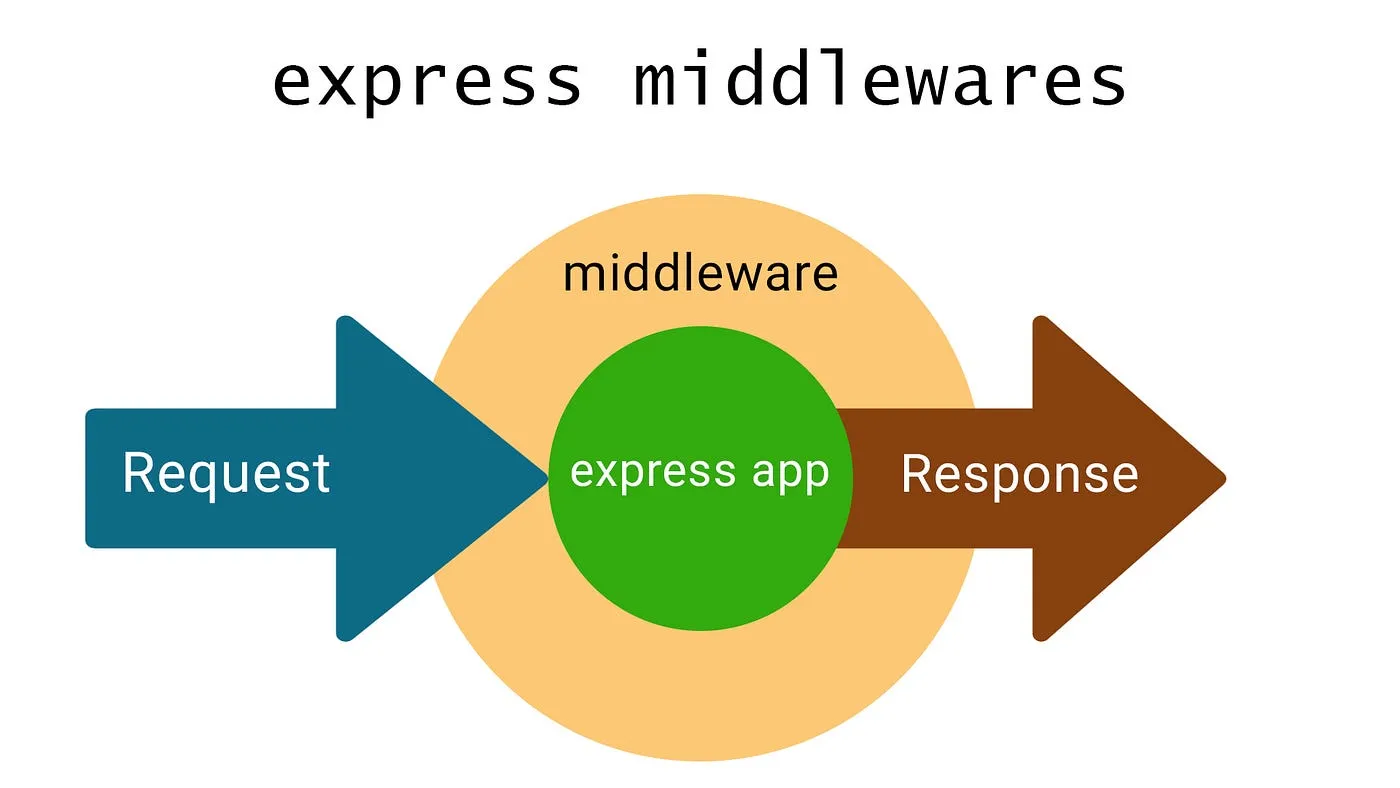 Middleware in
 Express.js are functions that execute between a client’s request and the server’s response. Each middleware has access to the Request and Response objects, as well as the next() function, which passes control to the next middleware in the stack.
Middleware can be used for various purposes, such as:
- Error handling = Authentication (verifying user identity)
- Logging (keeping track of requests and responses)
- Modifying or transforming request or response data
NOTEUsing middleware helps make your application code more modular and reusable by separating concerns and breaking down functionality into smaller, focused pieces.
Application-level middleware
Bind application-level middleware to an instance of the app object by using the app.use() and app.METHOD() functions, where METHOD is the HTTP method of the request that the middleware function handles (such as GET, PUT, or POST) in lowercase.
This example shows a middleware function with no mount path. The function is executed every time the app receives a request.
const express = require('express')
const app = express()

app.use((req, res, next) => {
  console.log('Time:', Date.now())
  next()
})
To skip the rest of the middleware functions from a router middleware stack, call next() to pass control to the next route.
NOTE
next()will work only in middleware functions that were loaded by using theapp.METHOD()orrouter.METHOD()functions.
This example shows a middleware sub-stack that handles GET requests to the /user/:id path.
app.get('/user/:id', (req, res, next) => {
  // if the user ID is 0, skip to the next route
  if (req.params.id === '0') next('route')
  // otherwise pass the control to the next middleware function in this stack
  else next()
}, (req, res, next) => {
  // send a regular response
  res.send('regular')
})

// handler for the /user/:id path, which sends a special response
app.get('/user/:id', (req, res, next) => {
  res.send('special')
})
Middleware can also be declared in an array for reusability. This example shows an array with a middleware sub-stack that handles GET requests to the /user/:id path
function logOriginalUrl (req, res, next) {
  console.log('Request URL:', req.originalUrl)
  next()
}

function logMethod (req, res, next) {
  console.log('Request Type:', req.method)
  next()
}

const logStuff = [logOriginalUrl, logMethod]
app.get('/user/:id', logStuff, (req, res, next) => {
  res.send('User Info')
})
Error-handling middleware
WARNINGError-handling middleware always takes four arguments. You must provide four arguments to identify it as an error-handling middleware function. Even if you don’t need to use the
nextobject, you must specify it to maintain the signature. Otherwise, thenextobject will be interpreted as regular middleware and will fail to handle errors.
Define error-handling middleware functions in the same way as other middleware functions, except with four arguments instead of three, specifically with the signature (err, req, res, next):
app.use((err, req, res, next) => {
  console.error(err.stack)
  res.status(500).send('Something broke!')
})
For details about error-handling middleware, see: Error handling.
Built-in middleware
Starting with version 4.x, Express no longer depends on Connect. The middleware functions that were previously included with Express are now in separate modules; see the list of middleware functions.
Express has the following built-in middleware functions:
- express.static serves static assets such as HTML files, images, and so on.
- express.json parses incoming requests with JSON payloads. NOTE: Available with Express 4.16.0+
- express.urlencoded parses incoming requests with URL-encoded payloads. NOTE: Available with Express 4.16.0+
GET Method
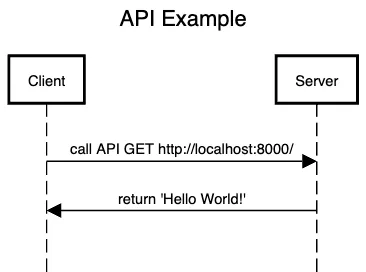
We will create a GET API method with the path /, which will send the message Hello world as a response. (We will explain HTTP methods in more detail later.)
const express = require('express')

const app = express()
const port = 3000

app.get('/', (req, res) => {
  res.send('Hello World!')
})

app.listen(port, () => {
  console.log(`Example app listening on port ${port}`)
})
Explain the code structure
- In
app.get(), this is where we declare the path that allows the client to send a request to.
NOTEThe client refers to the application or software that initiates the request (referred to as a request). After the API receives the request, it processes it and sends data back (referred to as a response).
- The
.get()method refers to sending a request using the GET method.app.get('/', (req, res) => {})has two parameters:- The first parameter,
'/', specifies the path where data can be sent. The second parameter(req, res)is a function that handles the request. After receiving the data sent by the client (through req), the variables req = request represent the data sent by the client (or user), and res = response is the response object that defines how the API will send data back. res.send('Hello world')is sending a response from the API back to the client.
POST Method
The POST method is used for adding data to the system. It is the method that allows us to send data through the body of the request. Let’s try a simple example by sending text through the body using the POST method.
const express = require('express')
const app = express()

app.use(express.json())

app.post('/test', (req, res) => {
  const textData = req.body
  res.send(textData)
})

app.listen(3000, () => {
  console.log('Server started on port 3000')
})
MVC
MVC (Model-View-Controller) is a design pattern commonly used in software development, particularly in web development, to separate concerns in an application. By dividing the application into three interconnected components, MVC helps to organize code in a way that makes it more maintainable, scalable, and testable.
Model
The Model represents the data and the business logic of the application. It is responsible for managing the data, performing database operations, and updating the state of the application based on user inputs or other events.
Example
// models/User.js
class User {
  constructor(name, email) {
    this.name = name;
    this.email = email;
  }
}

module.exports = User;
Example when using model to DB generator for MongoDB
const mongoose = require('mongoose')
const UserSchema = new mongoose.Schema({
    username: {
        type: String,
        required: true,
        unique: true,
    },
    password: {
        type: String,
        required: true,
    },
    role: {
        type: String,
        default: 'user',
    },
})

const UserModel = mongoose.model('User', UserSchema)
module.exports = UserModel
View
The View is responsible for displaying the data to the user. It handles the UI (user interface) and presents data received from the Controller or the Model. The View is often responsible for rendering HTML templates, applying styles, and displaying dynamic content.
Controller
The Controller acts as an intermediary between the Model and the View. It handles user input, updates the Model based on that input, and updates the View accordingly. The Controller contains the logic for how the application responds to user actions.
Example
const User = require('../models/User');

exports.getUserProfile = (req, res) => {
  const userId = req.params.id;

  User.find(userId, (err, user) => {
    if (err) {
      return res.status(500).send("Error fetching user data");
    }
    res.render('userProfile', { user });
  });
};
Routing with Router
Use the express.Router class to create modular, mountable route handlers. A Router instance is a complete middleware and routing system
The following example creates a router as a module, defines some routes, and mounts the router module on a path in the main app.
const express = require('express')
const router = express.Router()

// define the home page route
router.get('/', (req, res) => {
  res.send('Birds home page')
})

module.exports = router
Then, load the router module in the app:
const birds = require('./birds')

// ...

app.use('/birds', birds)
MVC Practical
For example, we need to setup the backend to connect the mongodb by using mongoose
Preparation
npm i mongoose Practical
Create .env file by create at same level of package.json
MONGO_URI=DATABASE_URI
PORT=PORT
Create Folder name configs && Create file name database.js and put the content into file
const mongoose = require('mongoose')
const dotenv = require('dotenv')
dotenv.config()
exports.connect = () => {
    try {
        mongoose.connect(process.env.MONGO_URI, {
            useNewUrlParser: true,
            useUnifiedTopology: true,
        })
    } catch (err) {
        process.exit(1)
    }
}
Create folder name model && Create file name user.model.js and put the content into file
const mongoose = require('mongoose')
const UserSchema = new mongoose.Schema({
    name: {
        type: String,
        required: true,
    },
    username: {
        type: String,
        required: true,
        unique: true,
    },
    password: {
        type: String,
        required: true,
    }
})

const UserModel = mongoose.model('User', UserSchema)
module.exports = UserModel
Create folder name controllers && create file name user.controller.js and put the content into file
const getUsersController = async (req, res) => {
    try {
        const query = await UserModel.find().select('-_id -password').exec()
        return res.status(200).send(query)
    } catch (err) {
        return res.status(400).send({ error: err.message })
    }
}

module.exports = { getUsersController }
Create folder name routes && Create file name user.route.js and put the content into file
const express = require('express')
const router = express.Router()
const {
    getUsersController,
} = require('../controllers/user')

router.get('/', getUsersController)

module.exports = router
The content in app.js
const express = require('express')
const app = express()
const dotenv = require('dotenv')
const db = require('./db/conn')
db.connect()
dotenv.config()

// import user route
const userRoute = require('./routes/user.route.js')


// buitin middleware
app.use(express.json())

const port = process.env.PORT || 3000

app.use('/users', userRoute)

// Error Handling
app.use((err, req, res, next) => {
    err.statusCode = err.statusCode || 404
    err.status = err.status || 'Not Found!'

    res.status(err.statusCode).send({
        status: err.status,
        message: err.cusMessage || 'Unknown Error',
        code: err.code || 0,
    })
    next()
})

app.listen(port, () => {
    console.log(`server running on ${port}`)
})